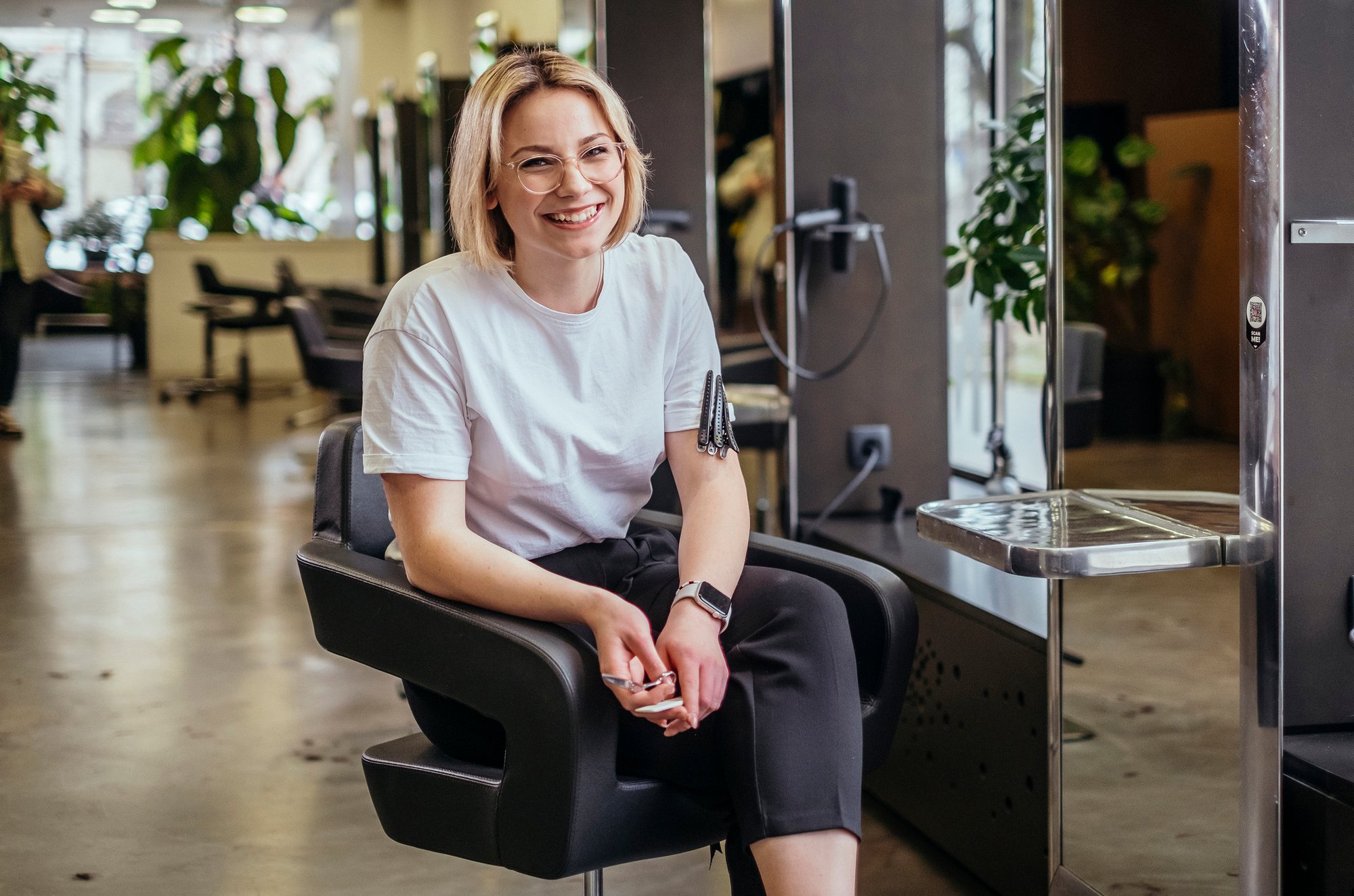
Your phone rings while you're mid-colour. Instagram DMs pile up. Someone texts asking for “anything after 5”. Another client wants to move Saturday to Sunday. Then a regular no-shows for a long appointment you'd held all week.
That's the point where most salon owners and solo pros realise the problem isn't just booking. It's how bookings are being managed. If appointments live across calls, messages, notes apps, and memory, you're doing admin all day and still carrying the risk when a client disappears.
A booking system with payment fixes that at the source. It gives clients one place to choose a service, pick a slot, and pay a deposit or prepay before the appointment is confirmed. For a salon, barber, nail tech, or beauty pro, that changes the day-to-day reality fast. Fewer back-and-forth messages. Clearer policies. Less chasing. Better cash visibility.
The biggest shift isn't technical. It's operational. You stop treating booking as a conversation and start treating it as a controlled business process.
Table of Contents
Introduction From Booking Chaos to Calm Control
The old setup usually looks harmless at first. A few clients book by text. A few come through Instagram. Someone calls the salon. Someone else asks in person and says they'll confirm later. It feels flexible until the week gets busy.
Then the cracks show. One slot gets promised twice. A client says they sent a deposit but there's no clear record. A freelancer renting a chair takes payment one way, the salon takes payment another, and reconciling the day becomes its own job. If you're self-employed, that admin often lands on you at night when the last client has gone.
Practical rule: if booking takes place in one tool and payment in another, someone always ends up matching records by hand.
That's why booking systems with payment matter so much in hair and beauty. They don't just make the business look modern. They remove the weak points that create no-shows, confusion, and unnecessary admin.
For UK appointment businesses, digital booking isn't optional anymore. 82% of consumers prefer booking online, and 48% say they've switched providers because of a poor booking experience, according to online booking statistics for appointment businesses. In practice, that means your client isn't comparing you only on fade quality, balayage results, or nail art. They're also judging how easy it is to book and pay.
When the system works, the day feels calmer. Clients book without asking if you're free. Deposits are handled upfront. Staff can see what's confirmed. You spend less time acting like a receptionist and more time doing paid work.
What Is a Booking System with Payment
A booking system with payment is your digital receptionist and cashier in one. It lets the client choose a service, see available times, book the slot, and pay in the same flow.
That last bit matters. It isn't just online booking with a separate payment link bolted on after. It's one connected action. The client reserves a time and completes checkout without being pushed into a messy handoff.
What the client sees
From the client side, a good system feels simple:
They pick a service: haircut, colour, beard trim, BIAB, lashes, facial, or whatever you offer.
They choose a time: only real availability is shown.
They pay as required: deposit, full pre-pay, or another policy you've set.
They get confirmation: no waiting for a DM reply.
That flow cuts friction. Stripe's model, as summarised in the verified data, describes software that lets customers reserve a time slot and pay without leaving the page, while calendars update and confirmations go out automatically. That's the standard worth aiming for.
What the business gets
On the business side, the gain is control.
You're no longer trying to remember who has paid, who only asked, who said “I'll send it later”, or whether the Saturday 11:30 was confirmed. The system stores the booking state and the payment state together, which is what turns a casual enquiry into a proper reservation.
A booking request isn't revenue. A confirmed appointment with payment attached is far closer to it.
This also changes how you think about availability. Empty slots aren't just gaps in the diary. They're inventory. A booking system with payment helps you protect that inventory instead of loosely holding it for people who may never commit.
The practical difference is huge for busy periods. Late afternoons, evenings, and weekends stop being first-come, first-served by message thread. They become structured, visible, and payable.
Core Features That Transform Your Business
The right system isn't the one with the longest feature list. It's the one that removes the most friction from booking, payment, and day-end admin.

Online booking pages that actually sell the appointment
A proper booking page should do more than show a calendar. It should present services clearly, show pricing, reflect real availability, and make it obvious what the client is booking.
If the page is confusing, clients hesitate. If it's clean, they commit.
The strongest setups usually include:
Clear service menus: clients shouldn't guess whether “skin fade” includes beard work or whether “full head colour” includes finish.
Live availability: no manual checking, no “message to confirm”.
Business rules in the background: buffers, time off, and staff allocation should already be accounted for.
For salons and barbers exploring tools that combine online booking and checkout, payment features for appointment businesses show the kind of integrated setup worth comparing against other platforms.
Deposits and no-show protection
Many businesses identify this as the biggest operational difference.
A deposit policy draws a line between interest and commitment. For high-value services, long appointments, and peak slots, that matters. In practice, deposits work well when they're matched to risk. A short fringe trim may not need one. A multi-hour colour correction almost certainly does.
What doesn't work is applying the same policy to every service without thinking about client behaviour. Good systems let you set rules per service, not one blunt rule across the whole menu.
A sensible approach often looks like this:
Use deposits for longer services: they protect time without making every booking feel heavy.
Use full pre-pay selectively: best for high-demand services, limited slots, or businesses that want firmer commitment.
State cancellation windows clearly: clients don't mind policies nearly as much as they mind surprises.
Payment gateway integration and slot protection
A booking system with payment has to do one job flawlessly. It must stop two people booking the same slot while payment is in progress.
According to technical guidance on reservation system design, a high-integrity flow temporarily reserves the slot while payment completes, then confirms the booking only after successful payment. That's the difference between a serious system and one that causes double-booking headaches on busy Fridays.
If a system shows a slot as available, it should be able to hold that slot through checkout. Anything less creates avoidable conflict at the busiest times.
This is also why instant confirmation matters. Staff need to know whether a booking is confirmed, pending, rejected, or released after timeout. Otherwise, someone ends up manually checking messages and bank notifications to work it out.
Automated payouts and cleaner money flow
Once clients pay online, the next question is simple. When does the money land?
Different businesses prefer different payout rhythms. Some want daily movement for tighter cash flow. Others prefer weekly or less frequent payouts because it keeps reconciliation tidier. The point isn't that one schedule is best. The point is that the system should make the flow visible and predictable.
For solo pros and small teams, that visibility helps with:
Planning stock and rent payments
Separating deposits from completed service income
Handling refunds without losing track
Understanding who earned what in mixed teams
Smart reminders and fewer manual follow-ups
Reminders don't replace deposit policy, but they support it. They reduce forgotten appointments and cut the stream of “just checking my time” messages that eat into the day.
The best reminder systems also feel neutral. They confirm the appointment, reinforce the time, and leave a clean digital trail. That matters when a client disputes a cancellation fee or claims they never saw the booking.
One practical example in the UK market is CHAIR, which combines online booking, deposits, Apple Pay and Google Pay, cash recording in-app, and Stripe-powered payouts to each professional's own account. For solo pros and small teams, that kind of all-in-one setup can remove the need to stitch together separate tools.
Real-World Benefits for UK Salons and Barbers
Features matter. Outcomes matter more. A booking system with payment earns its place when it protects income, saves admin time, and makes the client journey feel smooth from the first tap.

Less revenue leakage from preventable gaps
In salons and barbershops, lost money rarely comes from one dramatic event. It leaks out through no-shows, late cancellations, unpaid deposits, admin time, and unfilled gaps in the diary.
Embedded payment changes the quality of the booking. When a client has added card details, paid a deposit, or prepaid fully, they're more likely to treat the appointment as fixed. That gives the business more confidence to hold the time and enforce the policy if needed.
For teams working across multiple chairs or treatment rooms, this also reduces internal confusion. Front-of-house, freelancers, and owners all work from the same booking record rather than separate conversations and payment notes.
Checkout that matches how UK clients already pay
The UK payment habit is clear. Mobile wallets made up 39% of all card payments in 2024, and contactless was used in 94.6% of in-person card transactions, according to UK payment behaviour data discussed for booking flows. That tells you something important. Clients don't want clunky checkout.
They want the fastest possible route from selecting a slot to confirming it.
For hair salons in particular, that means the booking journey should feel natural on mobile. If your audience mostly finds you through Instagram, WhatsApp, Google, or local search, the payment step has to work cleanly on a phone. A slow redirect or awkward form can kill a booking just before it converts. That's one reason many salon operators look for systems designed for hair salon booking workflows in the UK.
A good checkout doesn't feel like a separate task. It feels like the final tap in the booking.
A more professional client journey
Clients notice small things. Instant confirmation. A clear cancellation window. A receipt or payment record. The ability to book late at night without waiting for a reply. Those details make the business feel organised.
That professionalism matters even more for solo pros. When you work alone, the system becomes part of your reputation. It signals whether the business is structured, reliable, and worth trusting with a premium service.
The strongest benefit is often mental. You stop carrying the whole booking process in your head. The system does the repetitive work, and you step into the appointment already knowing whether the client is confirmed, paid, and covered by policy.
Choosing the Right System A Checklist for UK Pros
Not every platform that says it offers booking and payment is built for the specific needs of a UK salon, barbershop, or self-employed beauty business. Some are fine at taking appointments but weak on records. Others process payments but make refunds, team reconciliation, or client ownership messy.

What to check before you commit
Use this as a working checklist before you sign up.
Check how pricing works: flat monthly pricing feels very different from commission or per-booking charges. Small differences matter once booking volume grows.
Check whether payment fees are transparent: if the platform uses an external payment processor, make sure you understand who charges what and where the costs appear.
Check client ownership: you should be able to access your client records and export them if needed.
Check policy control: deposits, cancellation windows, and payment timing should be configurable by service, not forced into one rigid template.
Check support for mixed payment reality: online card and wallet payments are useful, but many businesses still need to record cash in the same system for clean reporting.
Check team logic: if you've got chair renters, freelancers, or a small employed team, the system needs to separate calendars, payments, and reporting cleanly.
A lot of small businesses only realise the bookkeeping side matters when it becomes painful. In the UK, that's a mistake. HMRC's Making Tax Digital requires digital records for many VAT-registered businesses with taxable turnover above £90,000, so record quality is not a nice extra. It's part of the job. That's why guidance discussing MTD and clean digital records for booking systems is relevant when you compare platforms.
A quick comparison of what matters
| Area | What to look for | What causes problems |
|---|---|---|
| Booking flow | Booking and payment in one path | Separate booking form and payment chasing |
| Records | Clear transaction history and exports | Manual reconciliation from multiple apps |
| Team setup | Separate access and clean reporting | Shared logins and unclear ownership |
| Policies | Service-specific deposits and cancellations | One-size-fits-all rules |
| Payouts | Visible payout timing and status | Unclear settlement and refund handling |
Choose the system that reduces admin after the booking, not just the one that looks nicest during setup.
That's usually the difference between software you use for a month and software that becomes part of how the business runs.
Getting Started in Three Simple Steps
Most pros put this off because they think it'll be a project. It usually isn't. If your service menu is already clear, you can get the basics live quickly.
Set your services and policies
Start with the business rules, not the design.
List your services properly. Set realistic timings. Decide where deposits make sense and where they don't. Long colour work, premium barber slots, and time-heavy beauty treatments usually need more protection than quick maintenance appointments.
Be clear on cancellation windows as well. If clients know the rule before they book, there's far less friction later.
Connect payouts properly
This is the part worth doing carefully once.
Link the account where you want payouts to land. Decide what payout rhythm suits your cash flow and admin style. If you're a solo pro, you may want faster visibility. If you run a small team, you may care more about clean weekly reconciliation than speed alone.
The wider market is moving this way anyway. Fortune Business Insights projects the global appointment scheduling software market will grow from $635.6 million in 2026 to $1,905.90 million by 2034, which signals that payment-enabled scheduling is becoming standard rather than optional, as shown in appointment scheduling software market projections.
Launch the link everywhere clients already find you
Once the setup is done, use it properly.
Add the booking link to your Instagram bio, Google Business profile, website, and message templates. Tell existing clients that online booking is now the main route. If you're moving away from another platform, a migration path from Treatwell to a direct booking setup is the kind of transition support worth checking for.
A simple launch list helps:
Update every profile: don't make clients hunt for the link.
Send one clear message to regulars: explain how deposits and booking now work.
Keep accepting edge cases manually at first: then taper them off as clients adapt.
Frequently Asked Questions
Should I take deposits or full pre-payment
It depends on the service and the risk. Deposits suit many businesses because they protect the slot without making every booking feel heavy. Full pre-pay makes more sense for high-demand appointments, limited availability, or services with a higher no-show cost. In practice, both reduce no-shows when used clearly and consistently.
Which payment method do clients use most
For many UK hair and beauty businesses, the quickest options win. Card payments and mobile wallets like Apple Pay and Google Pay fit how clients already pay day to day, so they tend to create less friction than slower checkout methods.
What payout schedule works best
There isn't one right answer. Some salons prefer daily visibility. Others like weekly, bi-weekly, or monthly payouts because it simplifies reconciliation. The best option is the one that matches your rent cycle, stock buying, payroll, and how often you want to review takings.
What if some clients still want to pay cash
That's normal. A good system should still let you record cash in the app so your booking record and payment record stay aligned. The key is not forcing every client into the same behaviour. It's making sure every payment method still ends up in one clean reporting trail.
Will this help if I'm self-employed or renting a chair
Yes, if the system keeps your transactions, bookings, and client records separate and exportable. That matters for tax records, disputes, and knowing what you earned without piecing it together from messages and bank notifications.
If you're comparing platforms, CHAIR is a UK-based option built for hair, barber, nail, tattoo, spa, and beauty professionals. It combines online booking, payments, reminders, messaging, and marketplace discovery in one system, with flat monthly pricing and no commission.